Call OpenAI from your app
without shipping your API key.
No SDK. No backend to build. MyAppToken is a reverse proxy that injects your provider key server-side — your app keeps the provider's native API, whether that's OpenAI, Claude, Gemini, Replicate or any Bearer-auth API, and swaps only the base URL.
Self-serve Google sign-in — no waitlist · No credit card · Free during beta
Responses are buffered today (streaming in development) · Production apps: enable Firebase App Check
// Before — your OpenAI key ships inside the app
- let baseURL = "https://api.openai.com/v1"
- let apiKey  = "sk-proj-…"

// After — the proxy injects the key server-side
+ let baseURL = "https://api.myapptoken.com" +
+               "/api/v1/proxy/<app-id>/openai"
+ let apiKey  = sessionJWT  // short-lived, per-user

// Same request paths, same responses —
// buffered today, streaming in development.
Up and running in three steps
You keep using each provider's native API — MyAppToken is a transparent passthrough, not another abstraction layer. Responses are buffered today — ideal for image generation and short completions; token-by-token streaming for chat UIs is in development. Full details in the docs.
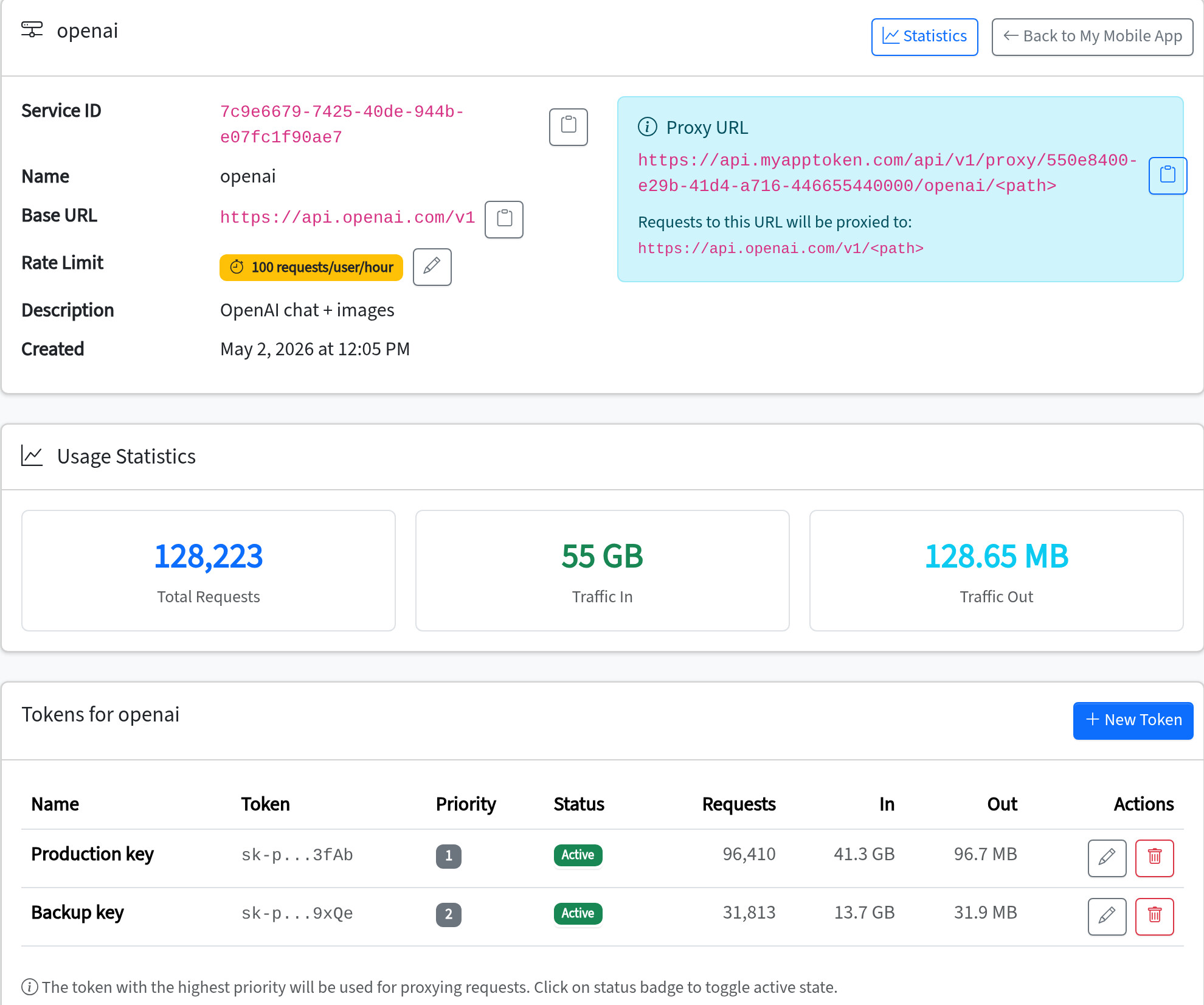
Create an app & service
Sign in with Google, create an application, and point a service at your provider's base URL.
openai → https://api.openai.com/v1
Store your API key
Paste the provider key into the token vault. It never leaves the server side again — rotate or revoke it without an app release.
sk-proj-… → stored · masked · rotatable
Swap the base URL
Your app exchanges a user ID for a short-lived JWT, then calls the proxy with it. Everything else stays identical.
POST /api/v1/auth/simple  →  short-lived JWT
POST /api/v1/proxy/<app-id>/openai/images/generations
The security model
No vague claims — this is exactly what happens to your key and your traffic.
Your key
Stored server-side on AWS, encrypted at rest, masked from the moment you save it — no API or dashboard screen ever returns the full value. Revoke or rotate instantly, no app release.
Your traffic
HTTPS from your app to the proxy and on to the provider — plain-http upstreams are rejected. Request and response bodies are logged by default; that's what powers analytics and AI Insights, and a metadata-only logging mode is on the roadmap. Logs are your data: visible only to your account, CSV-exportable, deleted with your account.
Your users
One-hour JWTs tie every request to a user for rate limits, analytics and one-click disabling. That contains accidental overuse — for adversarial abuse, enable Firebase App Check, which makes proxy calls require proof of a genuine build of your app.
Runs on AWS us-east-1 · Status · Beta: no SLA yet · Security & incident contact: hello@myapptoken.com · Legal identity in the Terms & Privacy policy
The proxy layer your API keys need
See and control how your app's users consume the APIs you pay for.
Token vault
Provider keys live server-side only. Create, rotate, deactivate and fail over between multiple keys per service — no app update needed.
Abuse control
Per-user rate limits with rolling windows and automatic cooldowns contain accidental overuse; disable any user in one click. Pair with App Check to hold against deliberate abusers.
Genuine-app checks
Optional Firebase App Check verification so only real builds of your app can use the proxy — not scripts with stolen tokens.
Per-user analytics
Requests, traffic, latency and status breakdowns per app, per service and per end user of your app — not just per API key.
Any Bearer-auth API
APIs that authenticate with a Bearer token work out of the box; Claude, Gemini and fal.ai header schemes are built in. Binary-safe passthrough: image, video and audio APIs work as well as chat.
Team access
Invite teammates by email as admins or read-only members, per app. Everyone sees the analytics; owners control the keys.
Compared with your real options
LLM gateways like LiteLLM and Portkey solve a different problem — a unified LLM API for backend teams. If your app has no backend, the decision actually looks like this:
| Key embedded in the app | Build your own proxy | MyAppToken | |
|---|---|---|---|
| Setup | None — and no security | Days to weeks, plus ongoing ops | Minutes: swap the base URL |
| Key exposure | Extractable from the binary | Server-side | Server-side |
| Key rotation | Requires an app release | Redeploy your backend | One click in the dashboard |
| Per-user rate limits | None | You build them | Built in |
| Per-user analytics | None | You build them | Built in |
| Abuse response | Revoke the key, break every user | You build it | Disable one user, keep the rest (robust with App Check) |
Questions developers ask
What happens to the API key I paste in?
It's stored server-side, encrypted at rest, and masked from that moment on — the dashboard and API only ever show a short preview of it. The proxy injects the full key into requests on the server; it is never sent to clients or returned by any endpoint. Rotate or revoke it anytime without shipping an app update.
How do my app's users authenticate against the proxy?
Your app calls POST /api/v1/auth/simple with its app ID and a user identifier and receives a one-hour JWT that authorizes proxy calls — it's what ties rate limits and analytics to individual users. Be clear about the limits of that flow: without App Check, anyone who discovers your app ID can mint JWTs for fresh user IDs, so per-user limits alone are damage control, not a lock. For production mobile apps, enable Firebase App Check — proxy calls then also require proof they come from a genuine build of your app. Enter explicit Firebase app IDs when enabling it: an empty list allows any app in your Firebase project. Details in the docs.
What happens when someone abuses my app?
Per-user rate limits kick in automatically: past the limit, the user gets a 429 with a retry time and a cooldown window. You see rate-limited counts in the dashboard, and you can disable a specific user for a service with one click.
Do you store my users' prompts?
Request and response bodies are logged to power your statistics and AI Insights — they are your data, visible only to your account, and exportable as CSV. Per-service logging controls and configurable retention are on the roadmap; until then, see the privacy policy for details.
Does streaming work?
Responses are currently buffered — fine for image generation and short completions; token-by-token streaming for chat UIs is in active development.
What does it cost?
Free during beta. No published request cap — we contact heavy users before any restriction. Pricing or limit changes get at least 30 days' notice, and there is no automatic conversion to paid. See pricing.
Proxy your first request without shipping your key.
Create an app, store one provider key, copy the proxy URL, send a test request — that's the migration.
Start free with GoogleNo credit card — free while in beta.